Vue3 统计图表 Apex Charts使用方式
官方文档地址:https://apexcharts.com/docs/vue-charts/
官方示例地址:https://apexcharts.com/vue-chart-demos/
- 准备 手脚架
项目终端下加载:
npm install --save apexcharts
npm install --save vue3-apexcharts
- 所需项目vue页面引入文件
import apexchart from 'vue3-apexcharts'
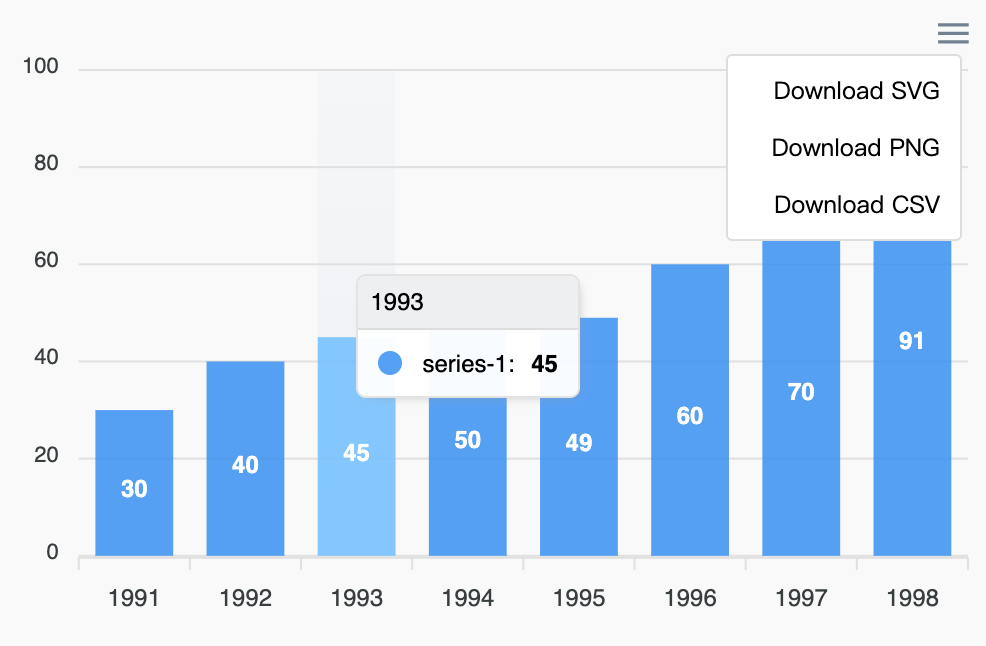
- 统计图完整示例
<template>
    <div class="chartsview_box" id="chart">
        <apexchart width="500" type="bar" :options="options" :series="series"></apexchart>
    </div>
</template>

<script setup>
    import {
        ref
    } from 'vue';
    import apexchart from 'vue3-apexcharts'

    //数据
    let options = {
        chart: {
            id: 'vuechart-example'
        },
        xaxis: {
            categories: [1991, 1992, 1993, 1994, 1995, 1996, 1997, 1998]
        },
       colors: ['#1ab7ea', '#0084ff', '#39539E', '#0077B5'],
       labels: ['Vimeo', 'Messenger', 'Facebook', 'LinkedIn'],

    }
    let series = [{
        name: 'series-1',
        data: [30, 40, 45, 50, 49, 60, 70, 91]
    }]
</script>